

Description
Turn a catalog of empty or thin product pages into clear, structured, SEO-ready descriptions — in minutes, right inside WooCommerce.
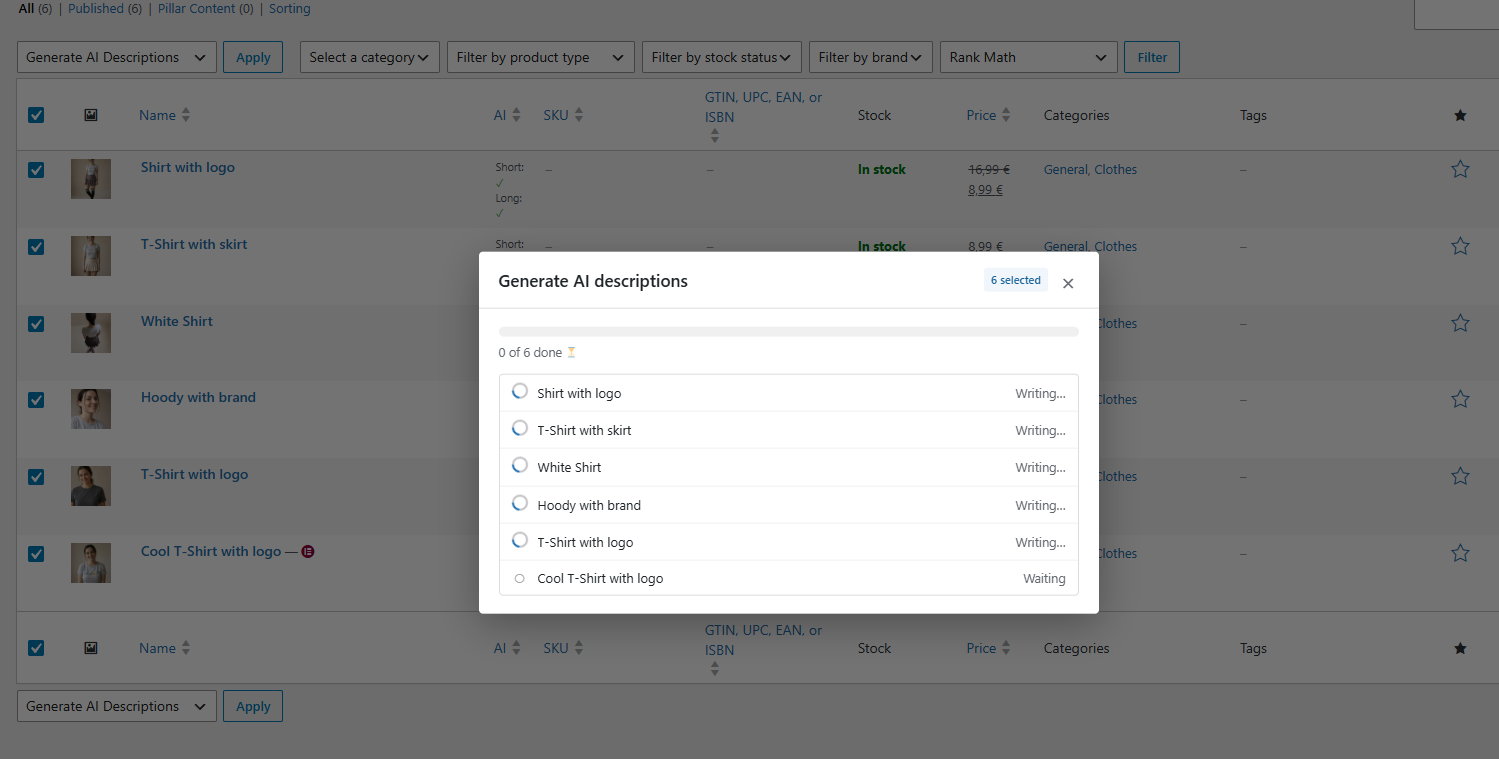
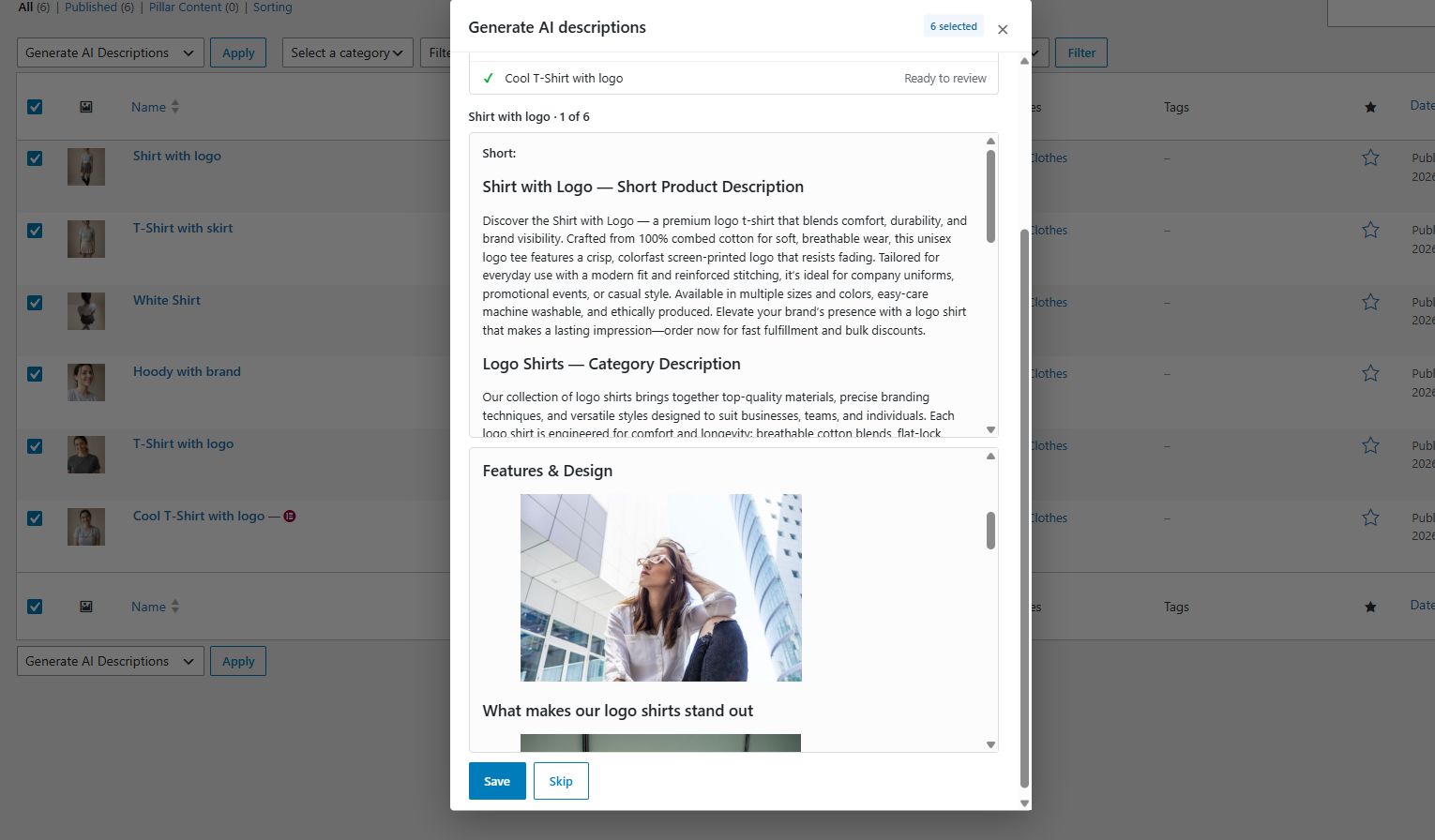
Select products or categories, click “Generate AI Descriptions”, and get professional copy with headings, lists and keyword-focused structure. Every result is shown to you first, your original text is backed up, and you can restore it with one click.
No copy-pasting between tools. No hidden fees — you use your own OpenAI or Google Gemini key and pay the provider directly.
✅ Gemini offers a free tier for eligible projects, so you can often start at no cost.
Why store owners use it
- ⚡ Bulk, not one by one — generate for 5 or 500 products from the standard WooCommerce bulk actions. No limits.
- SEO-ready structure — clean HTML with H2/H3 headings, lists and a table of contents, ready for Rank Math and Yoast.
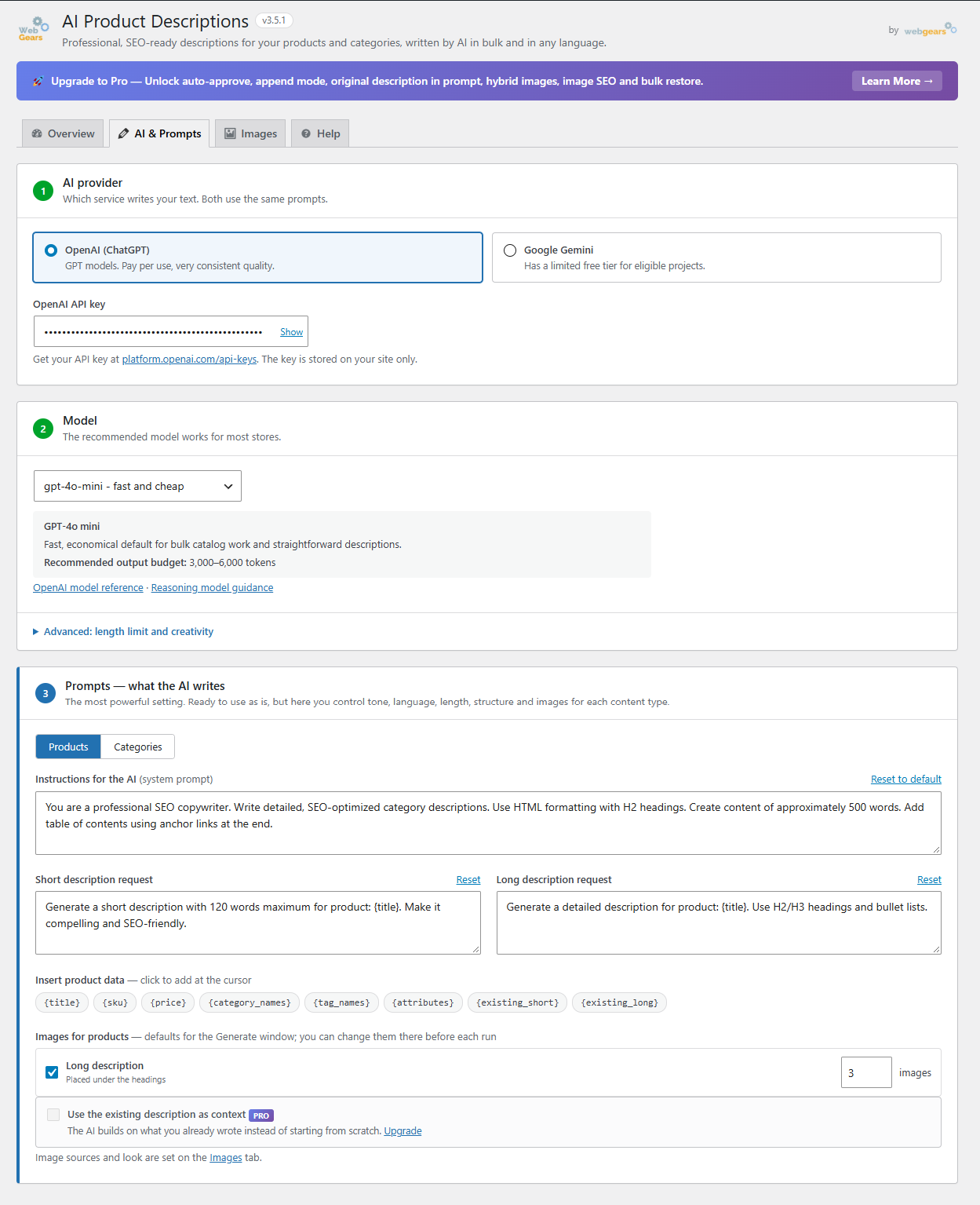
- Your voice, any language — write your own instructions for products and categories. The AI writes in the language you use.
- Uses your real product data — title, SKU, price, categories, tags and attributes go into the prompt, so texts are specific, not generic.
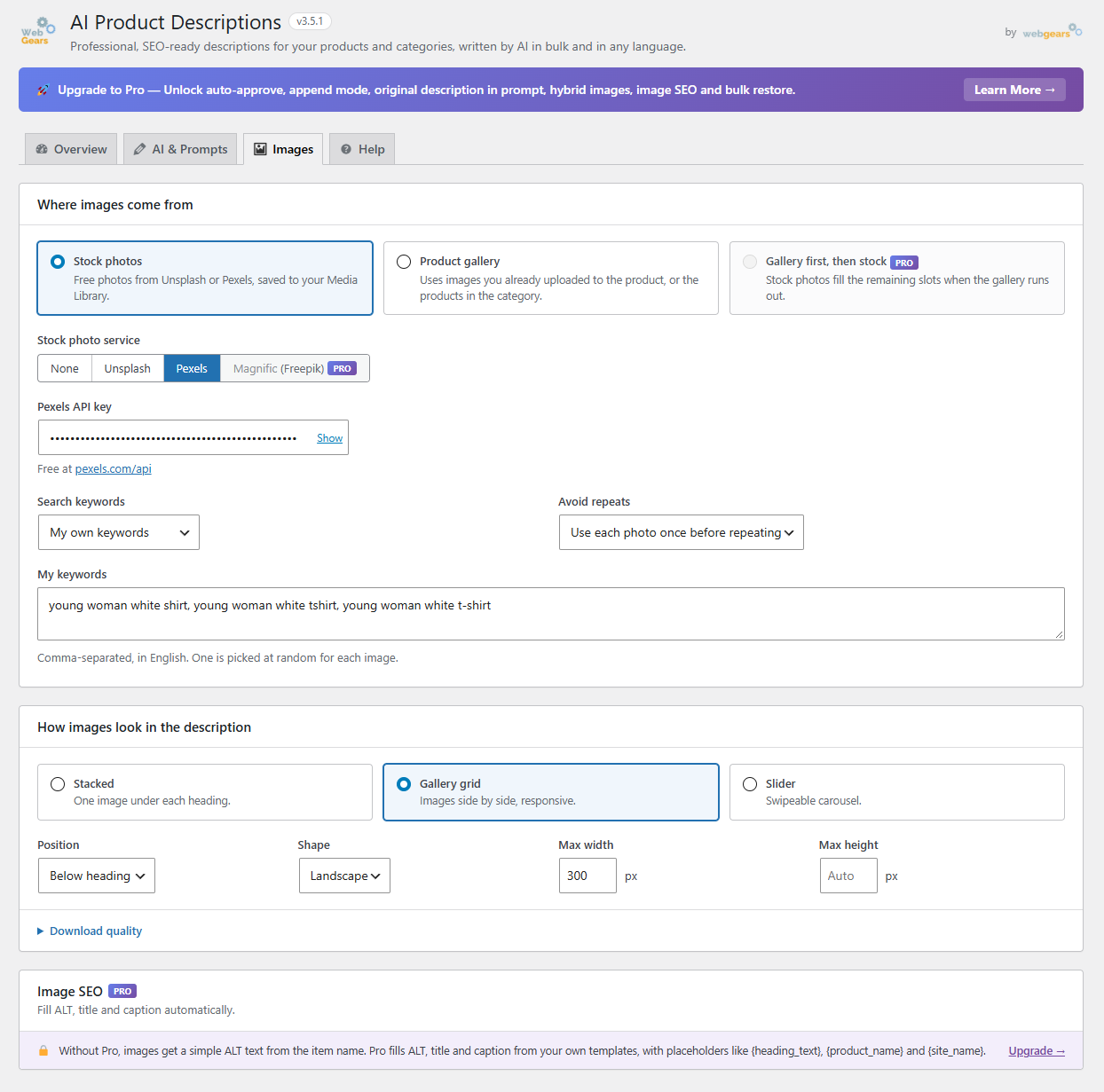
- Images included — add photos from Unsplash, Pexels or your own product gallery, saved to your Media Library.
- 🔒 Safe by default — review before saving, automatic backups, one-click restore.
How it works
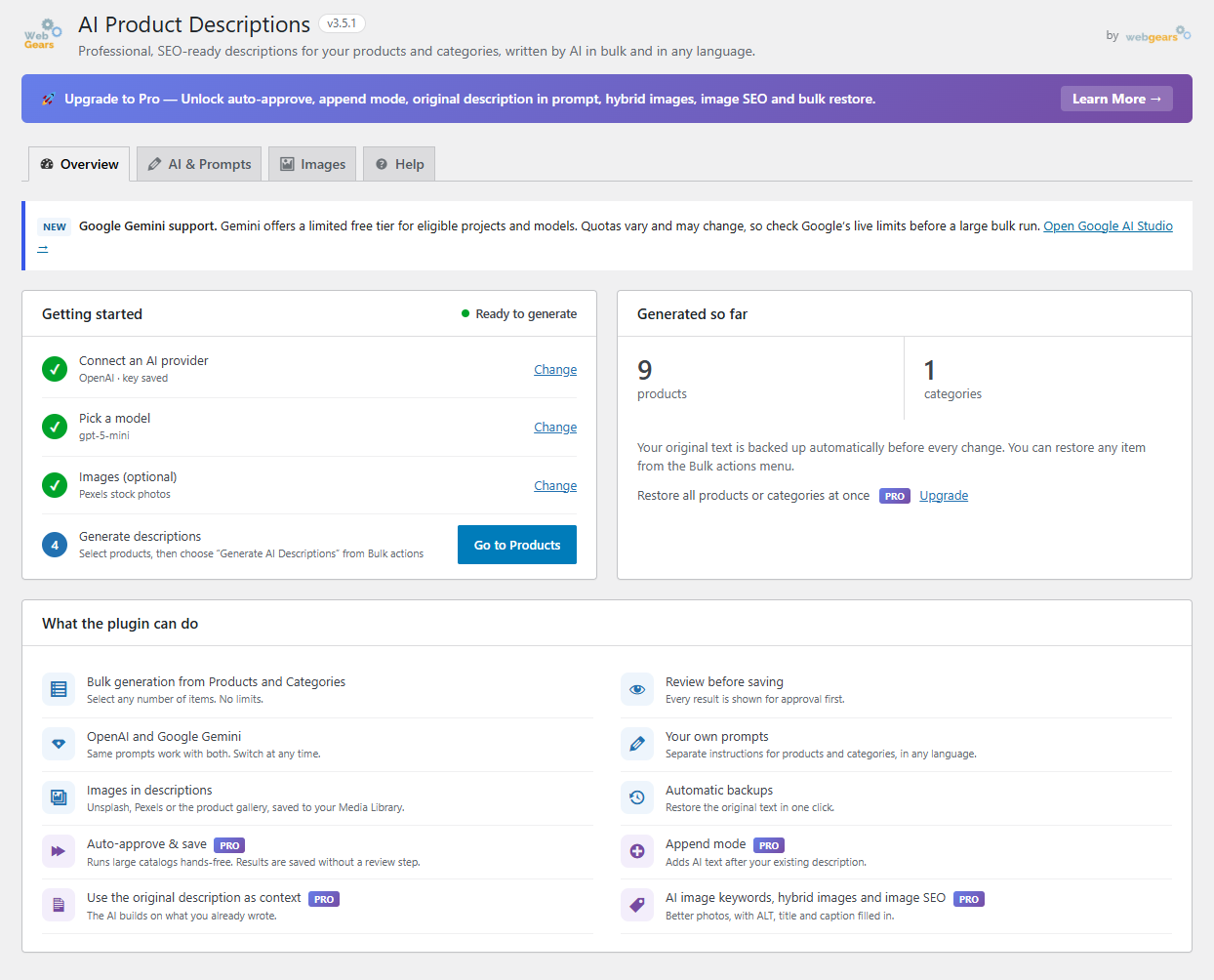
- Choose OpenAI or Google Gemini and paste your API key.
- Keep the ready-made prompts or adjust them to your brand.
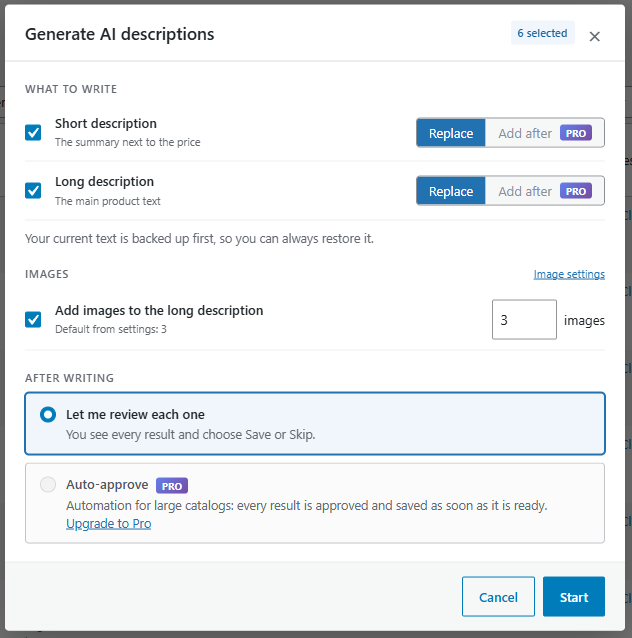
- In Products or Product categories, select items and choose “Generate AI Descriptions”.
- Review each result and click Save — done.
🚀 Pro: automation for large catalogs
The Pro add-on adds automation on top of the free workflow:
- Auto-approve — every result is approved and saved as soon as it is ready. Run hundreds of products hands-free.
- Add after — add the AI text after your existing description instead of replacing it.
- Use the existing description as context — the AI builds on what you already wrote.
- AI image keywords and hybrid images — gallery images first, stock photos fill the gaps.
- Image SEO — ALT, title and caption filled from your own templates.
- Bulk restore — return all products or categories to their original text at once.
- Description preview in the product list.
Who is it for?
- Stores with large catalogs or many new products every week
- Dropshipping and marketplace sellers importing products with poor descriptions
- Agencies managing several WooCommerce stores
- Anyone who wants better product pages without hiring a copywriter for every item
Flexible prompt placeholders
Products: {title} {sku} {price} {category_names} {tag_names} {attributes} {existing_short} {existing_long}
Categories: {name} {parent} {parent_url} {parent_link} {existing_description}
External Services
This plugin connects to third-party AI and image APIs. Connections are made only when the user explicitly triggers content generation.
AI Providers
OpenAI — Terms · Privacy
Google Gemini — Terms · Privacy
Data sent: product title, price, SKU, categories, attributes, and prompt text.
Image Sources (optional)
Unsplash — Terms · Privacy
Pexels — Terms · Privacy
Magnific (formerly Freepik, Pro) — Terms · Privacy
Data sent: image search keywords derived from product/category titles. Used only when image integration is enabled.
Screenshots
Installation
- Upload the plugin folder to
/wp-content/plugins/ - Activate through the ‘Plugins’ menu
- Go to WooCommerce > AI Descriptions
- Choose your AI provider and enter your API key
- Start generating descriptions
FAQ
-
Do I need a paid API key?
-
Not necessarily. Eligible Google Gemini accounts may have free-tier access. Check Google’s current rate limits and get your key at aistudio.google.com. OpenAI is also supported and charges based on usage.
-
How much does it cost to generate descriptions?
-
Costs depend on your provider, model, usage, and account eligibility. See Google’s current Gemini rate limits and your provider’s pricing for current details.
-
Will it work with my language?
-
Yes. Write your prompts in any language and the AI will respond in that language.
-
What happens to my original descriptions?
-
Original content is automatically backed up before generation and can be restored anytime.
-
Can I use my own product images?
-
Yes. Choose “Product gallery” on the Images tab to use existing images. Hybrid mode combines gallery images with stock photos (Pro).
-
Is it compatible with page builders?
-
Yes. Generated content is standard HTML, compatible with Elementor, Divi, and all themes.
Reviews


Contributors & Developers
“WebGears AI Product Descriptions for WooCommerce” is open source software. The following people have contributed to this plugin.
Contributors
Translate “WebGears AI Product Descriptions for WooCommerce” into your language.
Interested in development?
Browse the code, check out the SVN repository, or subscribe to the development log by RSS.
Changelog
3.5.1
A fresh, cleaner interface. All your settings, prompts and API keys are kept — only the look and layout changed.
- Redesign: New settings page in native WordPress style — a “Getting started” checklist, AI & Prompts in three clear steps, image options as cards, and a Save bar that shows unsaved changes.
- Redesign: New “Generate AI descriptions” window for products and categories.
- New: Live status for every item while generating (writing, ready, saved, skipped, failed), with the item name above each preview.
- New: Choose any number of images (1–50) per run. Defaults are set separately for products and categories in the settings.
- New: API keys are hidden by default, with a Show / Hide button.
- New: Click-to-insert placeholders and “Reset to default” for every prompt.
- Improvement: The “Add images” option in the Generate window now starts from your saved setting.
- Fix: Failed items in automatic mode are now listed instead of being silently skipped.
- Fix: Settings are no longer saved when stock images are enabled but no keywords are entered — the field is highlighted instead.
- Translation: Complete Bulgarian translation, and the bundled translations in the languages folder are now loaded.
- Compatibility: Tested with WooCommerce 11.2.
- New: Future updates show a short “What’s new” note right on the Plugins screen, under the update message.
- New: A one-time, friendly notice after updating explains the new look (your settings are kept). Dismiss it with “Got it”.
3.4.0
- Improvement: AI Settings now explain model capabilities, recommended output budgets, reasoning-token usage, and variable Gemini free-tier availability.
- Compatibility: Updated the Gemini model catalog and safely replaces retired saved models with a supported fallback during generation.
- Fix: API failures no longer make the Preview disappear; provider errors remain visible so users can correct their settings.
- Cleanup: Removed the obsolete v3.3.1 migration notice while preserving actionable dependency, license, and API warnings.
3.3.11
- Improvement: The AI column in Products and Product Categories can now be sorted to group generated descriptions or missing descriptions first.
3.3.10
- Fix: AI status now requires a successfully saved, non-empty description instead of only a backup record.
- Fix: Short and long product descriptions now receive independent AI status markers.
- Fix: Existing false AI status markers are safely reconciled by comparing live content to saved originals.
3.3.9
- Fix: Also restores AI status indicators from the backup table used by the intermediate
aipd_plugin releases.
3.3.8
- Fix: Restored the AI status indicators for product and category descriptions generated by earlier plugin versions.
- Compatibility: Migrates legacy description backups to the current data store without modifying the live product or category text.
- Improvement: Saves a persistent generated-content marker for new descriptions, so the AI column remains accurate even when old backups are cleaned up.
3.3.7
- Compatibility: Declared compatibility with WordPress 7.1 and raised the supported WordPress baseline to 6.9.
- Fix: Updated the bulk-actions JavaScript package used by the WordPress admin.
3.3.5
- Improvement: All admin JavaScript files are now minified (terser) — faster page load in WP admin.
- Original source .js files remain in the package for WordPress.org compliance.
3.3.4
- Improvement: Parallel pre-fetch buffer for bulk generation — up to 5 items generated simultaneously.
- Free version: previews still shown one-by-one for approval; next items pre-fetched in background so wait time between approvals is near zero.
- Pro version (auto-approve): up to 5× faster bulk generation.
- Added ⏳ indicator when UI is waiting for the next pre-fetched item.
3.3.3
- Fix: Gemini responses in Markdown format are now automatically converted to HTML (headings, bold, lists, paragraphs).
- Improvement: Gemini model list updated — removed non-existent Gemini 3.x entries, added gemini-2.0-flash-lite and gemini-1.5-flash-8b.
- Improvement: Models split into “Free tier available” and “Paid API only” groups in the dropdown.
- Improvement: Replaced yellow rate-limit warning box with a simple description link to Google’s pricing page.
- Improvement: Green Gemini banner updated to mention that some advanced models require a paid plan.
3.3.2
- Fix: Admin notice for v3.3.0 bug now shows on all versions until dismissed (not only 3.3.1).
- Improvement: Plugin zip now includes all required core files for correct WordPress.org distribution.
3.3.1
- Fix: Plugin no longer causes fatal error / white screen if a file is missing after install. Shows admin notice with reinstall link instead.
- Fix: Defensive file loading in class-loader.php with file_exists() checks for all dependencies.
3.3.0
- Architecture: Bulk AI fix.
- Free plugin: Removed unnecessary modal views, css, and JavaScript.
- Pro add-on v2.3.0 required for Pro version.
3.2.1
- Gemini: Fixed temperature encoding on servers with non-English locale (e.g. Bulgarian) where PHP could produce “0,7” instead of “0.7” in the JSON request body, causing API errors. Now uses locale-safe number_format with explicit “.” separator.
- Gemini: Added automatic retry (up to 2 times) when the API returns 503 “high demand” error, with 3s/6s backoff.
- Gemini: Added 3 new models — gemini-3.5-flash (ultra-fast, low cost), gemini-3.1-pro-preview (deep reasoning), gemini-3.1-flash-lite (ultra-budget). Models now grouped by generation in the dropdown.
3.2.0
- Added Google Gemini support: choose between OpenAI (ChatGPT) and Google Gemini as your AI provider. New “AI Provider” dropdown at the top of the AI Settings tab. Both providers use the same prompt templates.
- New Gemini models available: gemini-2.5-pro, gemini-2.5-flash, gemini-2.0-flash (default), gemini-1.5-pro, gemini-1.5-flash.
- AI keyword translation (title/auto modes) now uses whichever provider is selected.
- GPT Settings tab renamed to AI Settings.
3.1.1
- Settings UI: Optimization.
- Images tab: Added “Image Selection Mode” setting (Random / Sequential).
3.1.0
- Stripped trailing AI commentary/markdown fences from generated content (clean_ai_response)
- Images tab: Custom Keywords row now visible.
- GPT Settings: Added o3, o3-mini, o1, o1-mini to the Reasoning Models optgroup
- Updated Tested up to: 7.0
2.0.0
- Complete rewrite with bulk generation, multi-source images, and tabbed settings