
Description
Duplicate Media Guard helps you maintain a well-organized WordPress Media Library. It identifies potential duplicate uploads and lets authorized users replace existing media files without creating a new attachment.
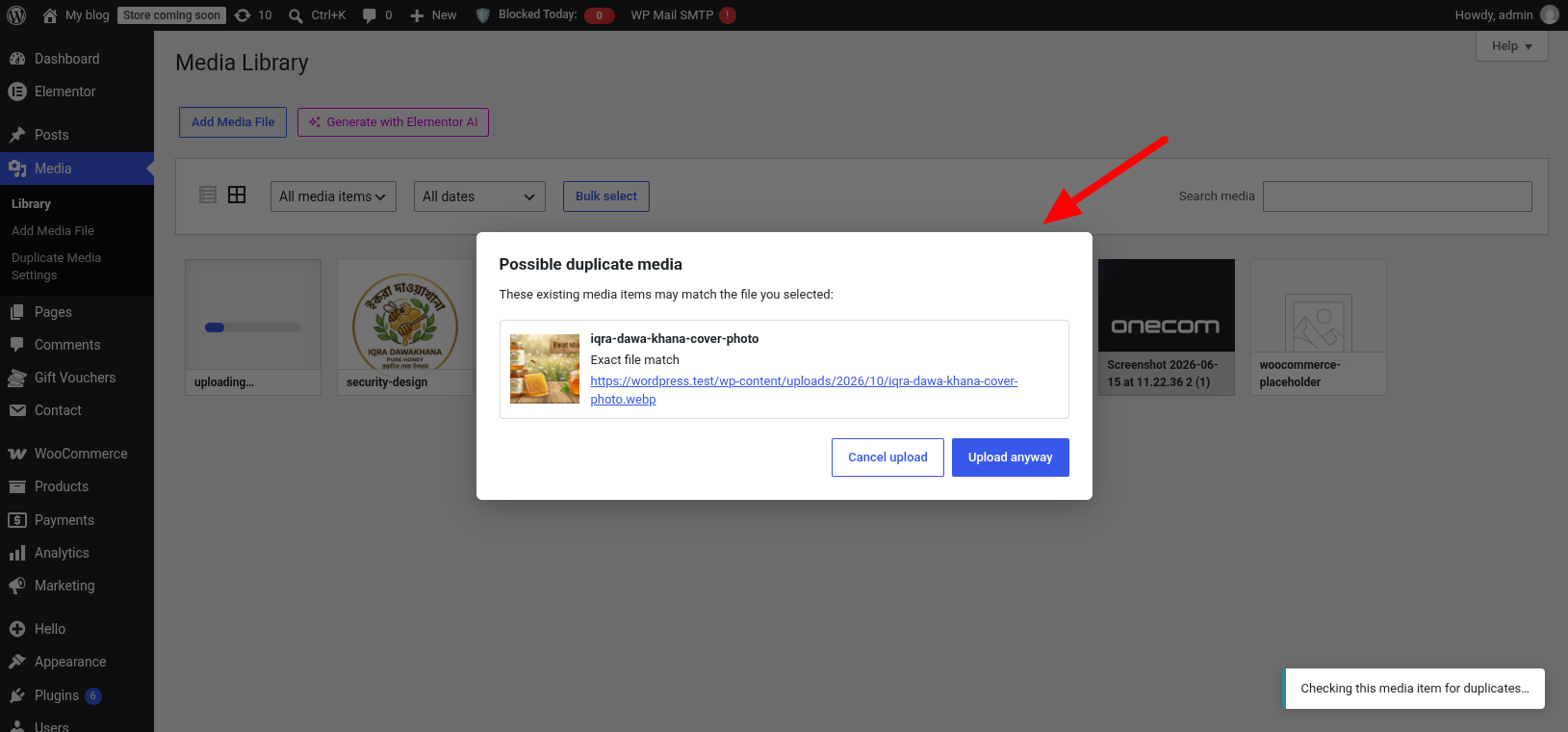
During upload, the plugin compares files with existing Media Library items. Filename checks identify matching names, exact hashing detects byte-identical images, and perceptual hashing can identify resized or recompressed images even when their filenames differ. When potential image matches are found, a pre-upload notice displays previews so you can review them, cancel the upload, or continue.
For example:
logo.pngandlogo.pngDuplicatelogo.pngandlogo.jpgDuplicate (when extension check is disabled)banner.webpandbanner.webpDuplicatephoto.jpgand a resized or recompressedcopy.webpPossible visual duplicate (when visually similar resized enable)
This helps reduce unnecessary duplicates and storage use while still allowing intentional uploads.
Features
- Review possible image duplicates with existing-media previews before uploading. (preview appear if Enable Image Hash Checks)
- Detect byte-identical images using exact file hashes.
- Identify resized or recompressed images using perceptual hashes.
- Match filenames with or without their file extensions.
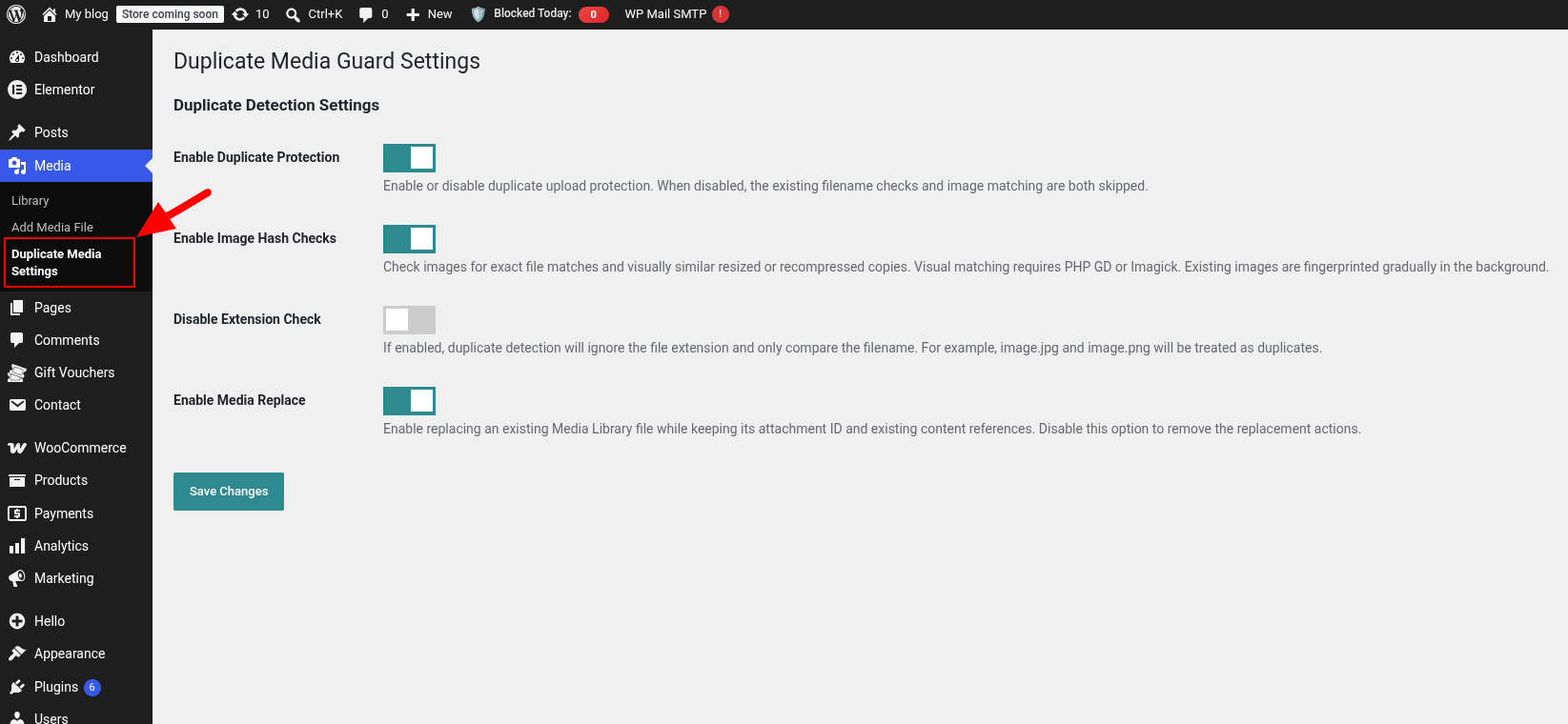
- Enable or disable duplicate protection and image hash checks in the settings.
- Replace an existing media file while retaining its attachment ID.
- Use the standard WordPress Media Uploader.
- Index existing image fingerprints gradually in the background.
Duplicate Detection
- Select an image through the WordPress Media Library.
- The plugin checks the filename, exact file hash, and perceptual hash of indexed images.
- If potential matches are found, a warning shows previews and lets you cancel or proceed. Files with no matches upload without a confirmation.
- Files uploaded outside the standard Media Uploader retain the server-side filename duplicate check.
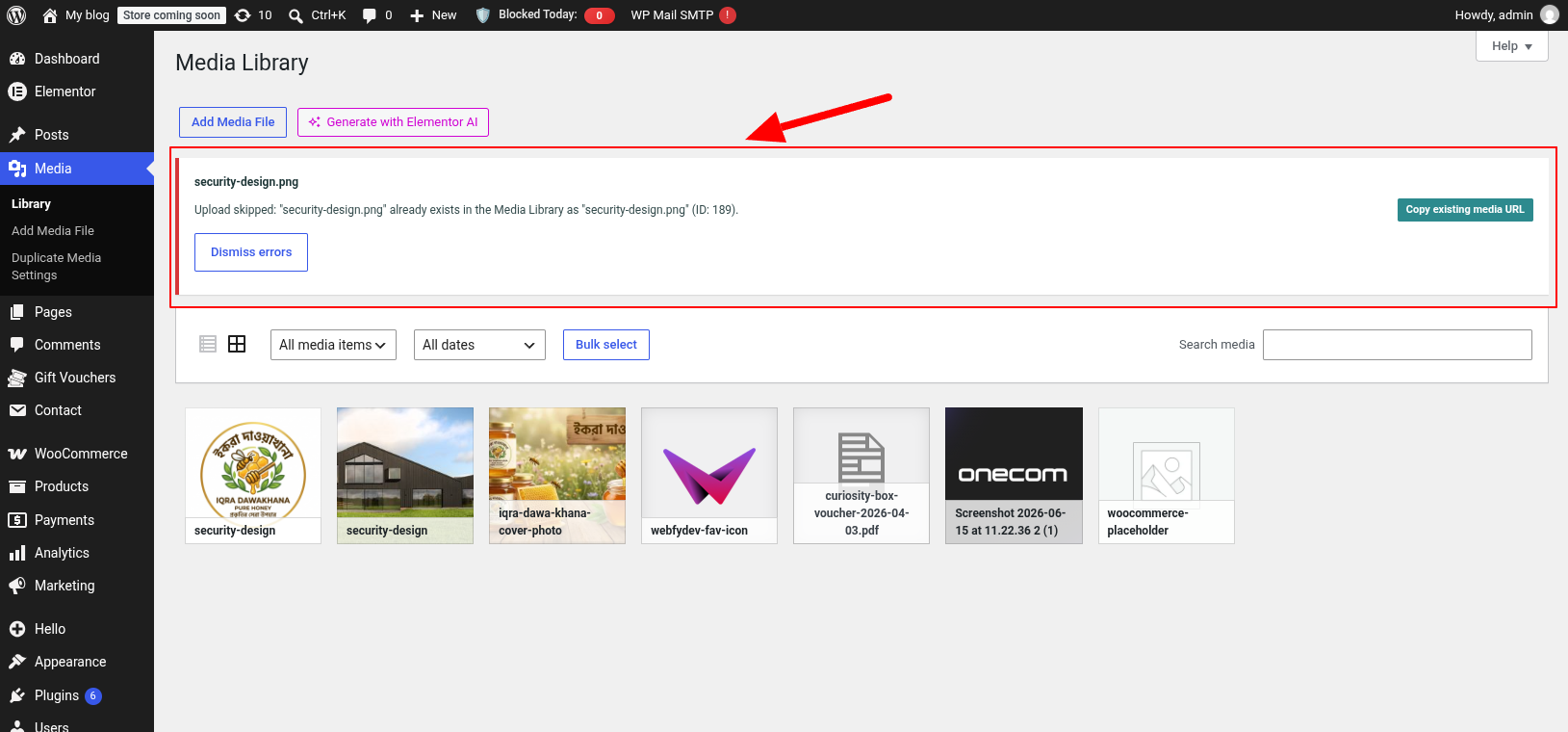
Use Enable Duplicate Protection to turn duplicate checks on or off. Use Enable Image Hash Checks to control exact and visual image matching. When image hash checks are disabled, filename duplicates use the standard WordPress upload notice and copy-URL action, while other files in the same bulk upload continue normally. Existing images are indexed gradually, so visual matching may be incomplete until indexing has progressed.
Replace Existing Media
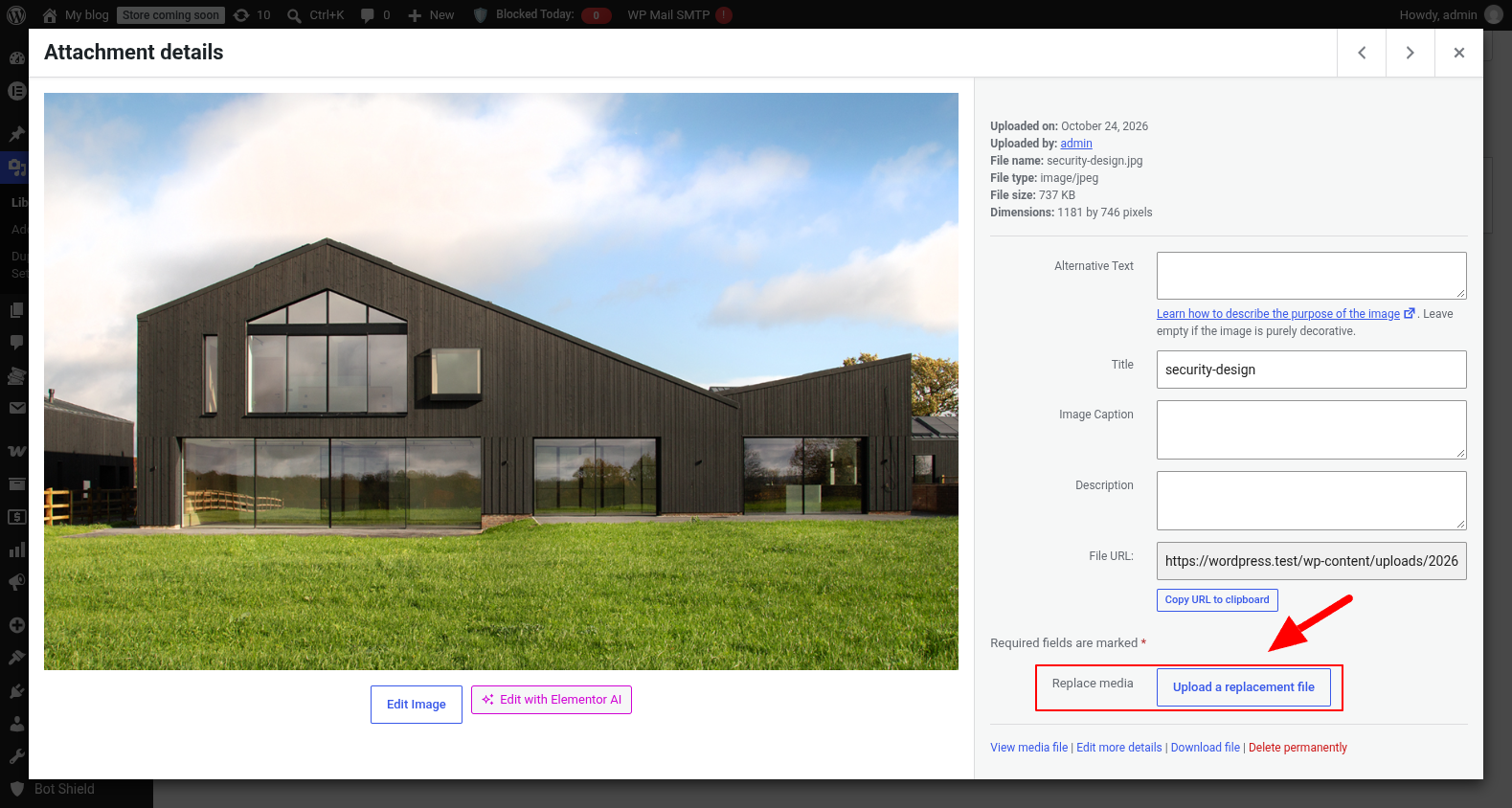
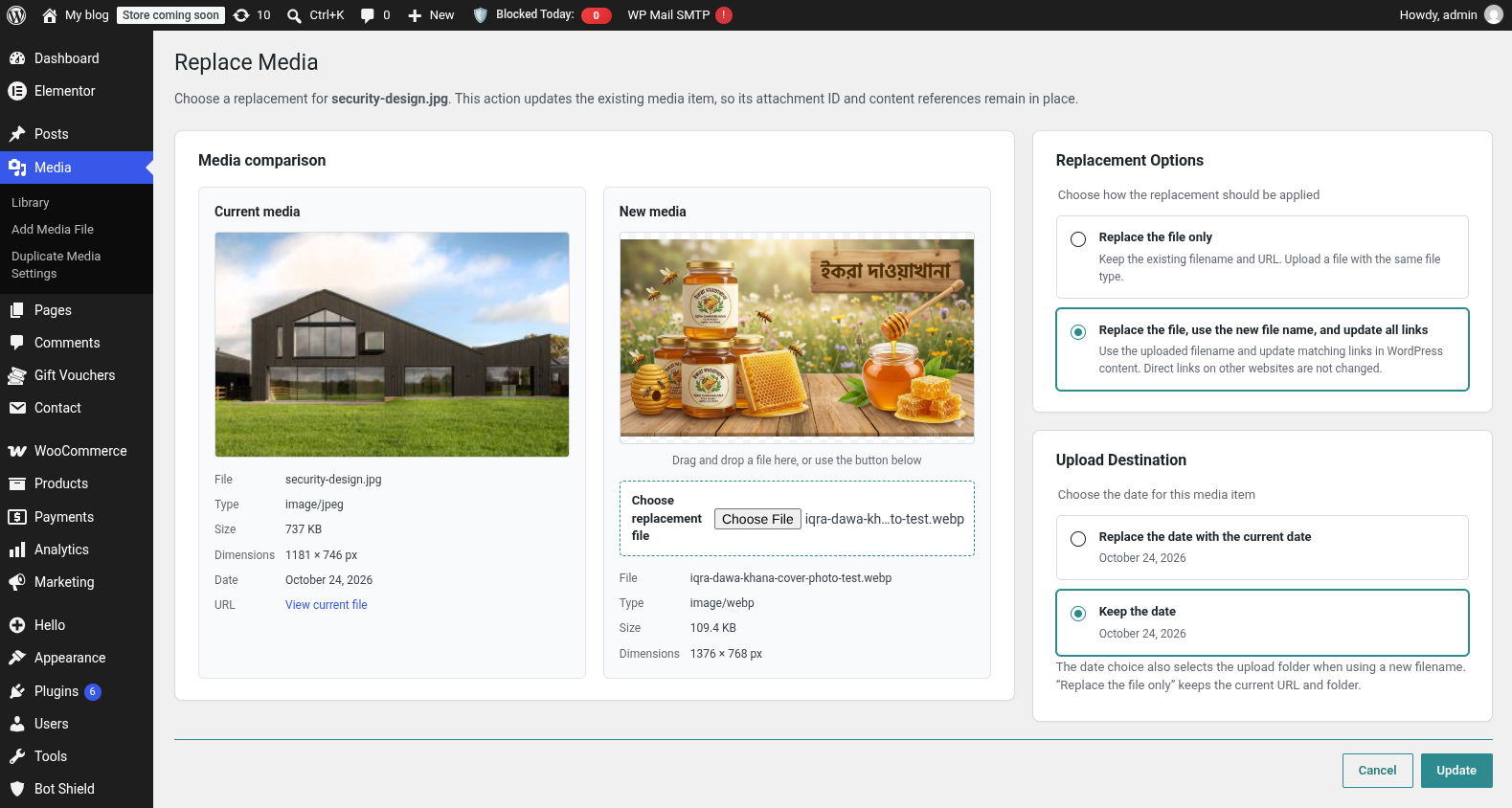
Enable Enable Media Replace in the plugin settings to show the Replace media action in the Media Library. Users who can upload files and edit the selected media item can choose a replacement and select how it should be applied:
- Replace the file only keeps the existing filename, URL, and folder. The replacement must have the same file type.
- Replace the file, use the new file name, and update all links applies the uploaded filename and updates matching references in WordPress content and metadata. Links on external websites are not changed.
The attachment ID is retained in either mode. Under Upload Destination, choose whether to use today’s date or keep the existing media date. When using a new filename, this choice also determines the upload folder.
Screenshots
Installation
Modern Installation
- Go to WordPress Dashboard Plugins Add New Plugin.
- Search for Duplicate Media Guard.
- Click Install Now.
- Activate the plugin.
Manual Installation
- Upload the plugin folder to the
/wp-content/plugins/directory. - Go to Plugins in your WordPress dashboard.
- Activate Duplicate Media Guard.
FAQ
-
What is considered a duplicate?
-
Images can match by filename, exact content hash, or perceptual hash. Perceptual matching is intended to identify resized or recompressed copies and may also flag visually similar images.
-
What happens if a duplicate is detected?
-
With Enable Image Hash Checks on, the uploader shows matching images with previews and lets you cancel or choose Upload anyway. With it off, filename duplicates are skipped and shown through the standard WordPress upload notice.
-
Can I compare filenames without extensions?
-
Yes. If enabled, files like
photo.jpg,photo.png, andphoto.webpare considered duplicates because they share the same filename. -
Does duplicate detection change existing media files?
-
No. Duplicate detection checks files during upload and does not alter existing media. An existing file is changed only when an authorized user explicitly uses the Replace media action.
-
Can I replace an existing media file?
-
Yes. Enable Enable Media Replace in the plugin settings, then use Replace media from the Media Library. You can keep the current filename and URL or use the replacement’s filename and update matching links stored in WordPress. The attachment ID is retained.
-
Does this work with all media types?
-
Filename checks apply to supported media types. Exact and perceptual hashing apply to images.
-
Is the plugin lightweight?
-
Yes. Fingerprints are computed once and stored with attachment metadata. Existing images are processed in small background batches, so uploads compare hashes rather than repeatedly reading the full Media Library from disk.
Reviews


Contributors & Developers
“Duplicate Media Guard” is open source software. The following people have contributed to this plugin.
Contributors

Translate “Duplicate Media Guard” into your language.
Interested in development?
Browse the code, check out the SVN repository, or subscribe to the development log by RSS.
Changelog
2.1.0 – 2026-10-24
- Added exact image hashing and perceptual similarity detection.
- Added pre-upload match previews with cancel or upload-anyway options.
- Added settings switches for duplicate protection and image hash checks.
- Restored the standard duplicate-upload notice flow when image hash checks are disabled.
- Added media replace features.
1.0.1 – 2026-09-27
- Changes: Color & security fixed.
1.0.0
- Initial release.
- Prevent duplicate media uploads.
- Option to compare filenames with file extensions.
- Option to compare filenames without file extensions.
- Added admin settings page.
- Added duplicate upload detection notice.
- Lightweight and optimized for WordPress Media Library.