

Description
Moduify AI Connector brings the Moduify Elementor and WPBakery generation workflow into the WordPress admin area. Connect once, describe the add-on you need, and follow its generation progress. Every result stays in the same Moduify library used by the web application.
What the plugin does
- Connects a WordPress site to a Moduify account with a revocable connector API key.
- Generates Elementor widgets and WPBakery add-ons from a component name and detailed prompt.
- Recovers long-running jobs after an admin-page refresh or temporary status failure.
- Displays a responsive static design preview after generation.
- Saves connector-generated items automatically to the connected account’s shared Moduify library.
- Shows whether an item passed validation or was saved with findings that need attention.
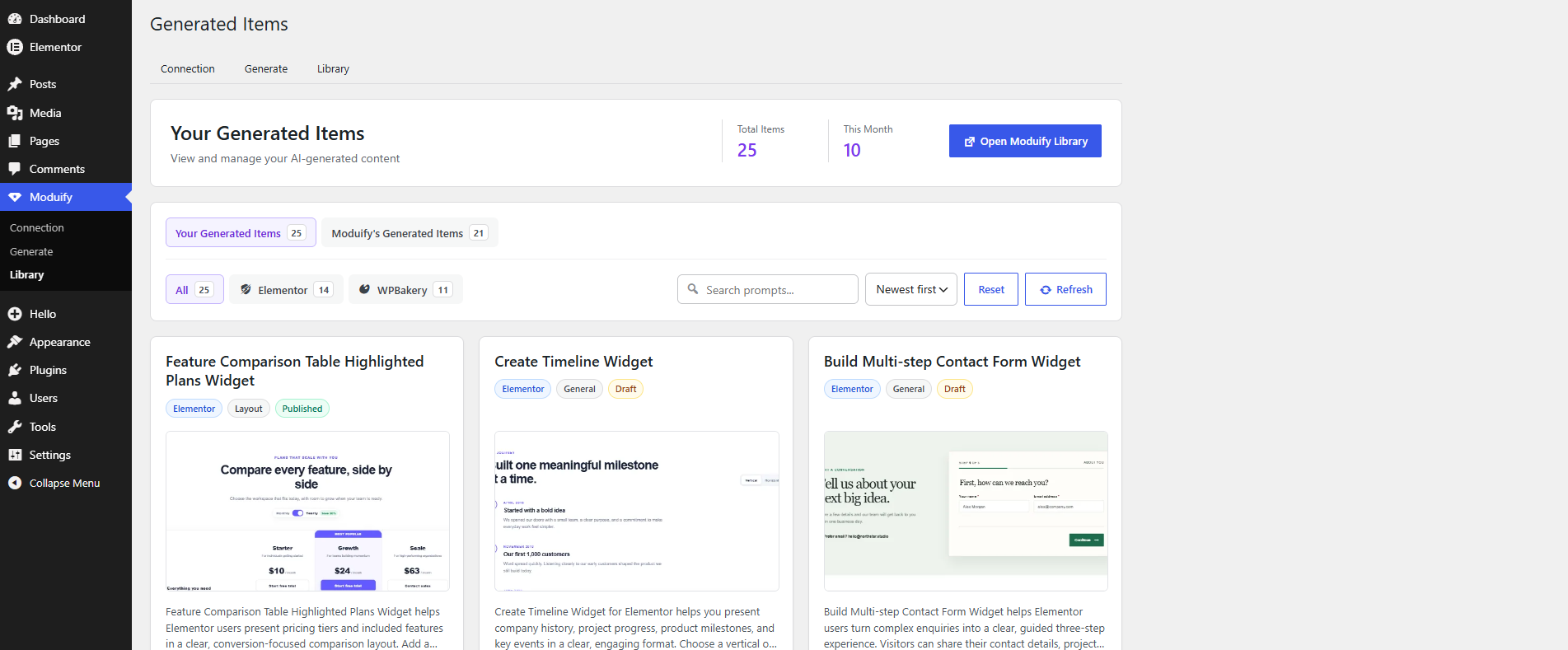
- Lets administrators browse account items and Moduify-published examples.
- Provides an in-plugin Tutorials page.
What the plugin does not do
This connector does not install, activate, update, or execute generated PHP on your WordPress site. It also does not add a frontend shortcode, block, widget, or tracking script. Generated add-ons are reviewed, edited, downloaded, and installed separately through the Moduify web application.
Supported builders
- Elementor
- WPBakery Page Builder
You can generate for either builder even if that page builder is not active on the connector site. To install and use a downloaded add-on later, the matching page builder must be installed and active on the destination site.
Recommended prompt details
For better results, include the layout, sample content, editable controls, responsive behavior, colors, spacing, typography, images or icons, and interactions. Always select the builder used by the destination site.
How to use the connector
1. Create the connection
- Sign in at https://moduify.com/.
- Open the WordPress Connector section in your Moduify dashboard.
- Create a connector key for the account. Treat the key like a password.
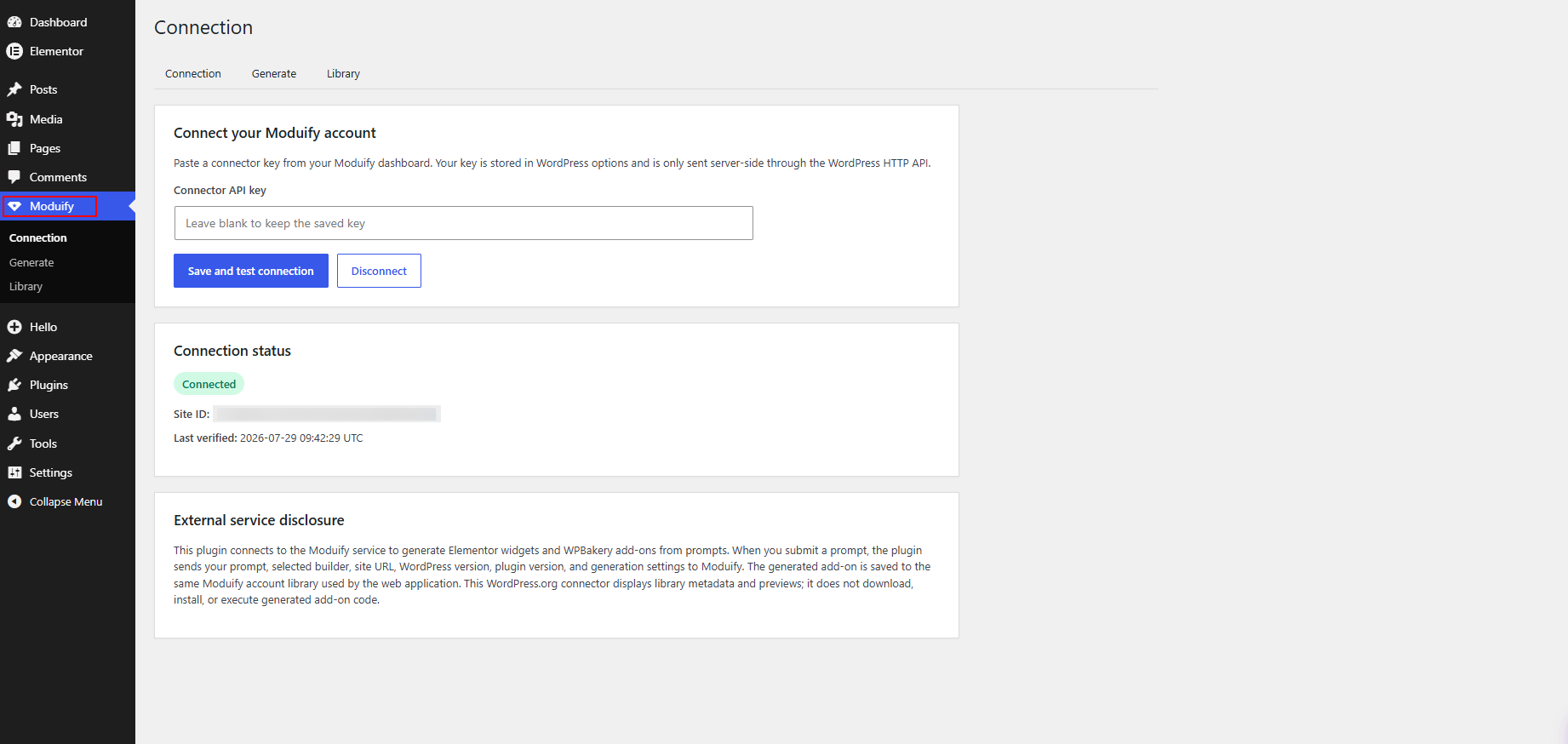
- In WordPress, open Moduify > Connection.
- Paste the key and select “Save and test connection.”
- Confirm that the page shows Connected, a Site ID, and the correct Moduify account.
2. Generate an add-on
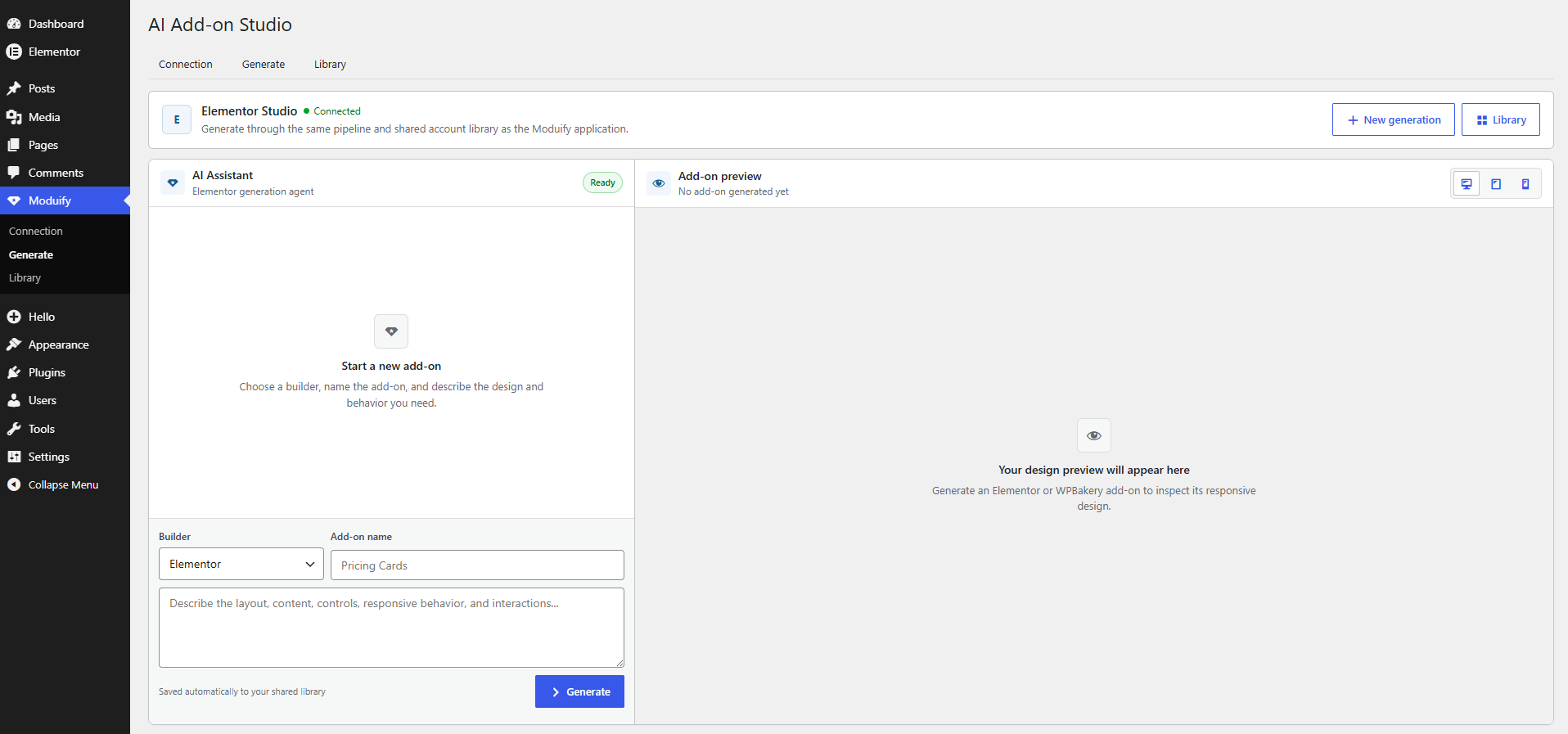
- Open Moduify > Generate.
- Choose Elementor or WPBakery.
- Enter a clear add-on name.
- Describe the design, content, settings, responsive behavior, and interactions you need.
- Select Generate and keep the admin page open while the job starts.
The connector submits the job once, checks its status, and saves the result to the shared library. If the page reloads, status checks resume for the active job.
3. Review the result
The Generate page shows the static preview returned for the completed item. The Library page shows the item name, builder, source, preview, date, and validation state.
- “Passed” means the automated generation checks completed successfully.
- “Needs attention” means the item was saved, but one or more findings should be reviewed before installation.
- A missing preview does not delete the generated item; open the Moduify library to review its source and validation details.
4. Edit, download, and install
Open Moduify > Library and select “Open Moduify Library.” Sign in, review or edit the item, run the available checks, and download it. A site administrator then installs it manually on a site with the matching builder.
5. Disconnect a site
Open Moduify > Connection and select Disconnect. You can also revoke the connector key from the Moduify dashboard. Disconnecting removes the saved connection details from WordPress; it does not delete items already stored in the Moduify library.
External service
This plugin connects to Moduify because generation, validation, library storage, and downloads are provided by that service. An account and connector key are required.
When a connection is tested, the plugin sends the site URL, site name, WordPress version, PHP version, plugin version, and connector key to authenticate the key and register the site.
For generation, the plugin sends the prompt, builder, component name, site ID, and idempotency key. Moduify creates and validates the job and saves it to the connected account.
While a job is active, the plugin sends its ID to retrieve status. It renders only the supplied static preview in an isolated admin area, captures a 590 by 300 pixel JPEG, and sends the image and item ID to Moduify for the shared thumbnail.
The Library requests metadata and safe static preview sources. Generated PHP and preview JavaScript are not returned to or executed by this connector. Downloads require a separate signed-in action on Moduify.
The Tutorials page embeds YouTube through youtube-nocookie.com. YouTube may receive the visitor’s IP address, browser information, and request metadata when that page opens. Other connector pages make no YouTube request.
Moduify Terms of Service: https://moduify.com/terms
Moduify Privacy Policy: https://moduify.com/privacy
Moduify Pricing: https://moduify.com/pricing
Google Privacy Policy: https://policies.google.com/privacy
Video Tutorial
Screenshots
Installation
- In WordPress, open Plugins > Add New Plugin and upload the plugin ZIP, or upload the
moduify-ai-connectordirectory to/wp-content/plugins/. - Activate Moduify AI Connector.
- Open Moduify > Connection.
- Paste a connector key created in your Moduify dashboard.
- Select “Save and test connection.”
- Open Moduify > Generate to create your first Elementor or WPBakery add-on.
Only users with the manage_options capability can connect an account, submit generation jobs, browse the connector library, or save preview images.
FAQ
-
Where do I get a connector API key?
-
Sign in to Moduify, open WordPress Connector, create a key, then paste it into Moduify > Connection. Do not share it or place it in frontend code.
-
Is my Moduify password stored in WordPress?
-
No. The connector key is stored in WordPress options and sent only through the server-side WordPress HTTP API. Your Moduify password is never requested or stored.
-
Does the plugin install or run generated code?
-
No. It submits jobs and displays metadata and static previews; it does not retrieve PHP, execute preview JavaScript, write plugin files, or activate add-ons.
-
Why was my item saved with validation findings?
-
Open the item in the web library, inspect the findings, edit the source, and run the checks again before downloading or installing it.
-
What should I do if generation takes a long time or returns a gateway error?
-
The connector retries temporary status failures and resumes after a reload. For a 429, 502, 503, or 504, wait briefly instead of repeatedly starting jobs. Also check the library because the server-side job may still finish.
-
A render or image-host failure can prevent the preview without deleting the item. Open the library to review the result and validation details.
-
Do I need Elementor or WPBakery installed on this site?
-
Not to connect the account or start a generation. The matching builder is required on the site where you eventually install and use the downloaded add-on.
-
Does this plugin add a shortcode, block, or frontend CSS?
-
No. The connector is admin-only. Its scripts and styles load only on Moduify admin pages and are scoped to the connector interface.
-
How do I download an add-on?
-
Open Moduify > Library, select “Open Moduify Library,” sign in, choose the saved item, review it, and download it from the Moduify website.
Reviews
There are no reviews for this plugin.
Contributors & Developers
“Moduify AI Connector” is open source software. The following people have contributed to this plugin.
Contributors

Translate “Moduify AI Connector” into your language.
Interested in development?
Browse the code, check out the SVN repository, or subscribe to the development log by RSS.
Changelog
1.0.1
- Expanded setup, generation, validation, library, download, privacy, and troubleshooting guidance.
- Added direct Connection and Tutorials links to the Plugins screen.
- Added installed-version tracking for reliable future upgrades and cleanup on uninstall.
- Updated the compatibility declaration for WordPress 7.1.
1.0.0
- First production-ready release of the Moduify AI Connector.
- Added isolated full-page admin interfaces, shared library integration, responsive static previews, and Elementor and WPBakery generation workflows.