

Description
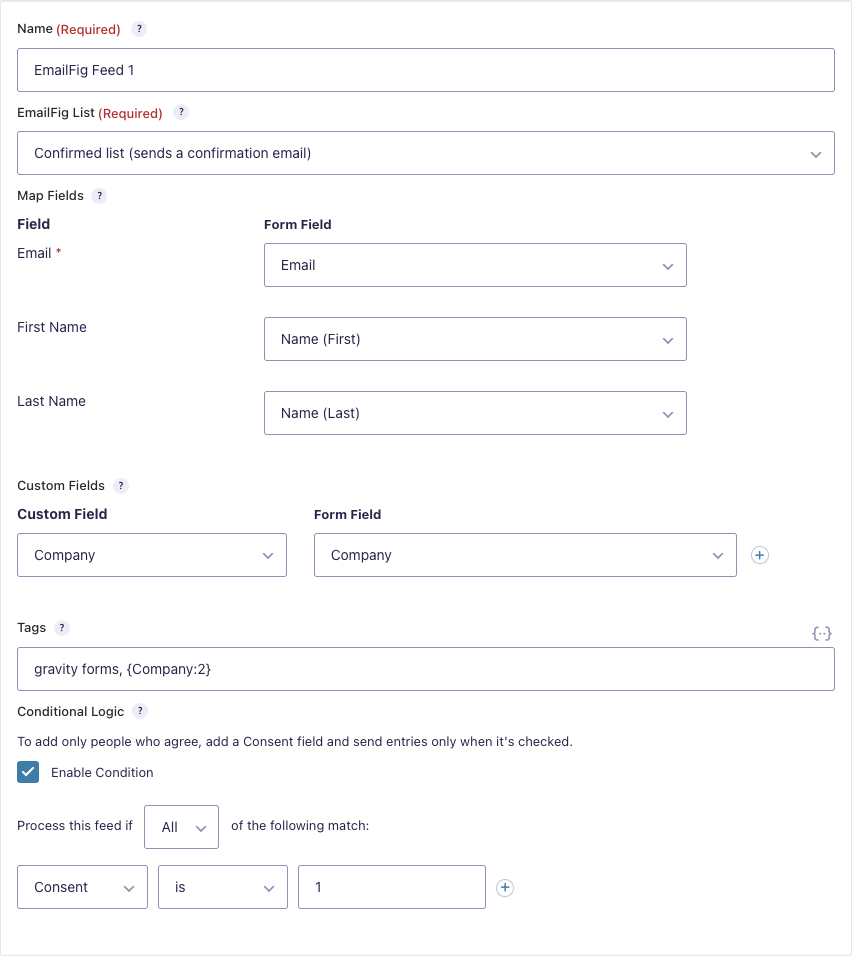
Send Gravity Forms entries to EmailFig. Each form can add people to a list, save their answers to your custom fields, and tag them.
You’ll need Gravity Forms 2.9.25 or later (a paid plugin) and an EmailFig account.
Features
- Add people to any of your EmailFig lists, from as many forms as you like.
- Map the email and name fields, and save other answers to your custom fields.
- Tag contacts, with merge tags for answers from the form.
- Add people only when they tick a consent box, with conditional logic.
- Get an email when a signup fails.
- Wait for payment first, with Gravity Forms’ payment add-ons.
Lists that ask new members to confirm send a confirmation email, and people join once they click it.
What is EmailFig?
EmailFig is email marketing without the bloat: fast, focused campaigns, easy list management, and pricing that scales fairly. It’s free for up to 4,000 contacts. Sign up at emailfig.com.
External services
This plugin connects to EmailFig (https://emailfig.com) to add people to your lists. Every request from your server carries your API key, and the plugin, WordPress, PHP and Gravity Forms versions.
- When you use the add-on’s settings or a form’s EmailFig feeds: your server reads your EmailFig account name, lists and custom fields.
- When an entry is sent to EmailFig: your server sends the email address, the name and answers you mapped, the tags you chose, the visitor’s IP address and the time of the entry, and may also read your lists and custom fields. If Gravity Forms is set not to save IP addresses, EmailFig records your server’s address instead.
EmailFig terms of service: https://emailfig.com/terms
EmailFig privacy policy: https://emailfig.com/privacy
Screenshots
Installation
- Install and activate Gravity Forms, then this plugin.
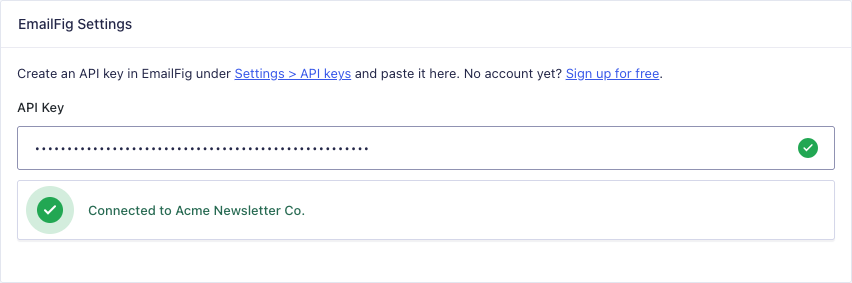
- In EmailFig, go to Settings API keys and create a key.
- In WordPress, go to Forms Settings EmailFig and paste the key.
- Open a form, go to Settings EmailFig, and add a feed.
FAQ
-
Does it add everyone who fills in the form?
-
Yes, unless you turn on conditional logic. To add only people who agree, add a Consent field and set the feed to run only when it’s checked.
-
Can people confirm by email before they’re added?
-
Yes. Turn on confirmation for the list in EmailFig and every signup to it gets a confirmation email.
-
What happens when a signup fails?
-
The entry gets a note saying why. Add a notification with the “EmailFig signup failed” event to get an email too.
-
Can I change what’s sent?
-
Yes. Developers can use the
gform_emailfig_subscriptionfilter to change the request, orgform_emailfig_field_valueto change one mapped value.
Reviews
There are no reviews for this plugin.
Contributors & Developers
“EmailFig for Gravity Forms” is open source software. The following people have contributed to this plugin.
Contributors
Translate “EmailFig for Gravity Forms” into your language.
Interested in development?
Browse the code, check out the SVN repository, or subscribe to the development log by RSS.
Changelog
1.0.0
- First release.