

Description
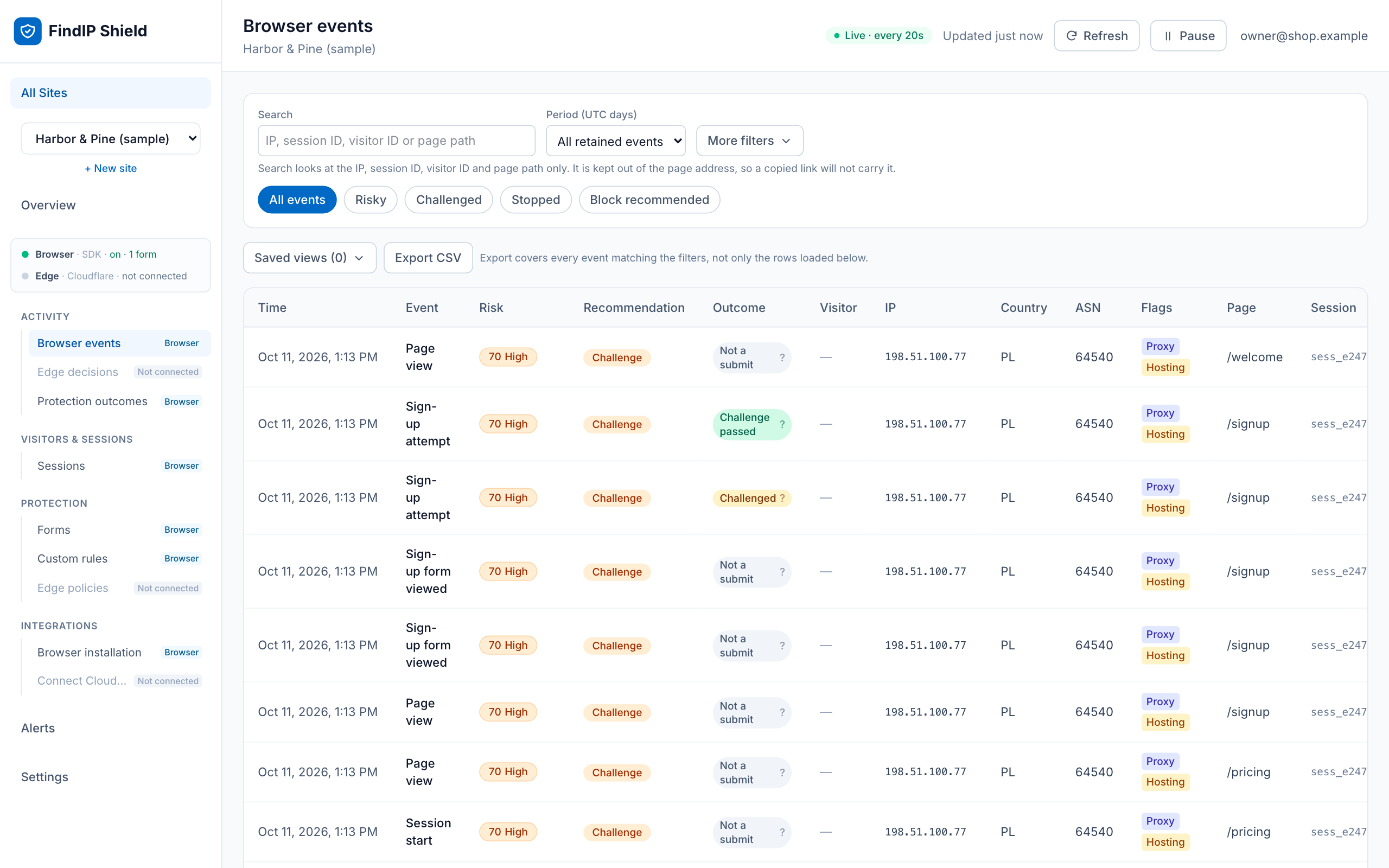
FindIP Shield shows you who is really visiting your WordPress site. Every visit, signup, login and WooCommerce checkout gets a risk score and the reasons behind it: VPN, proxy, Tor, relay, hosting or datacenter network, or a known malicious IP.
What you get
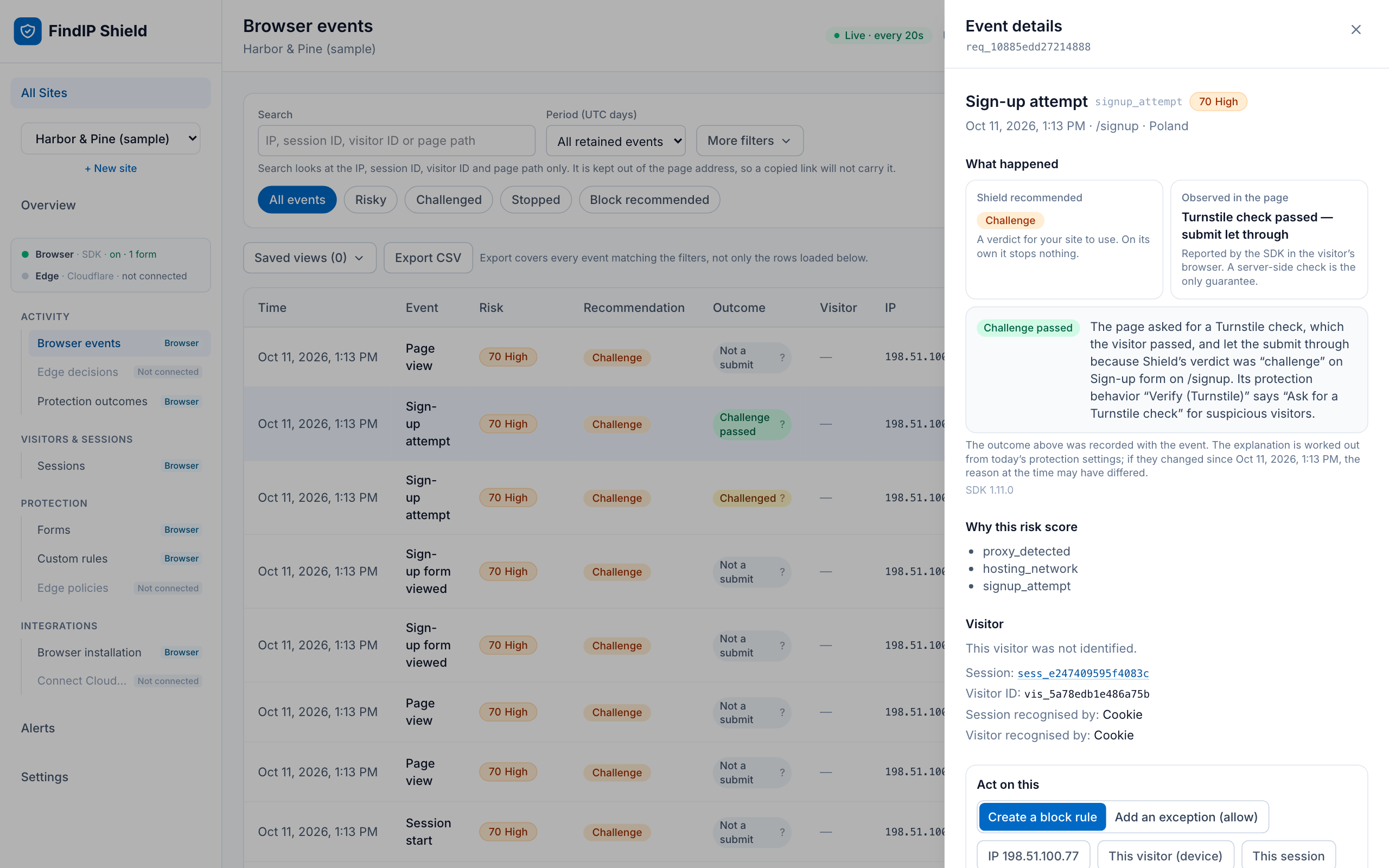
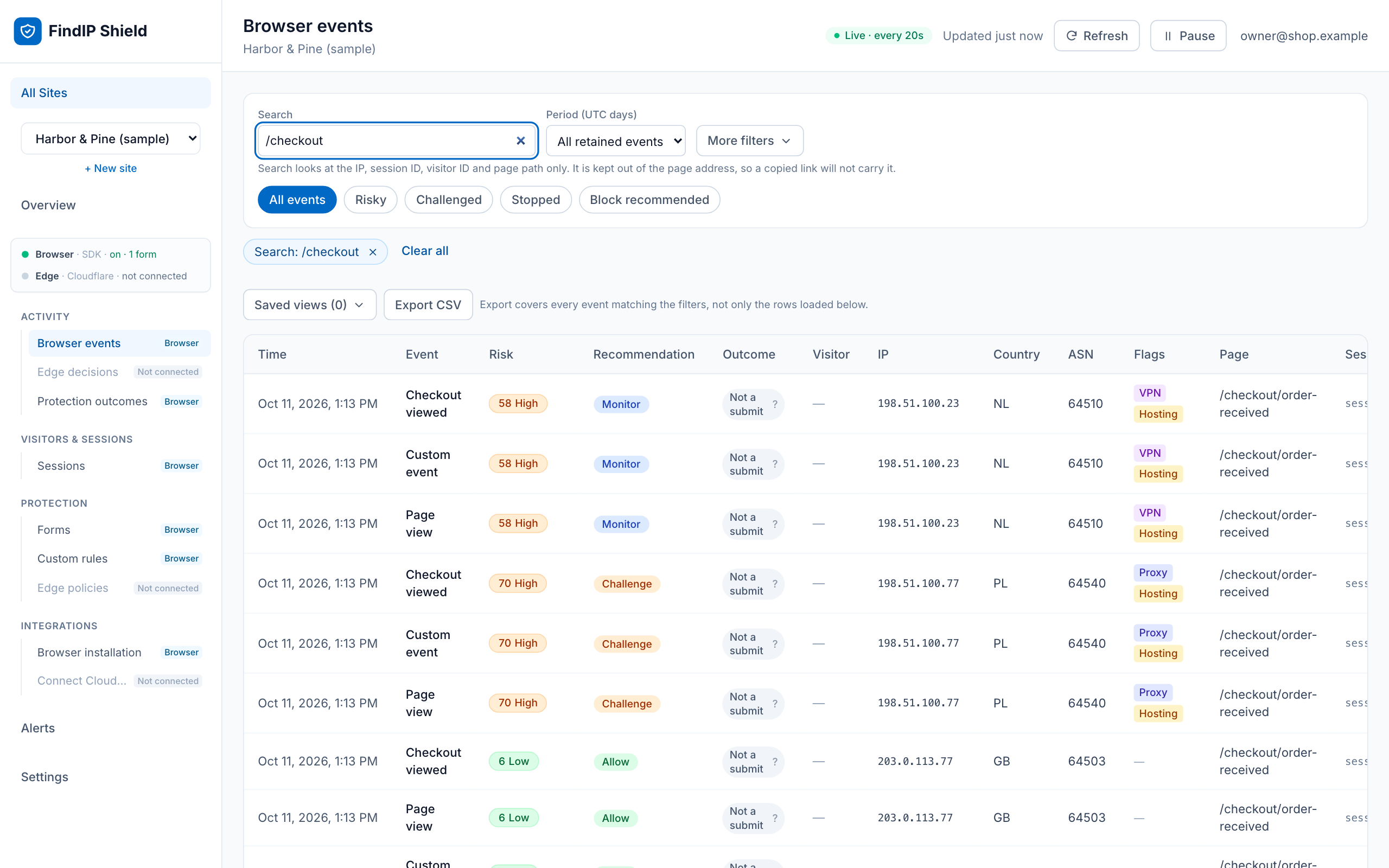
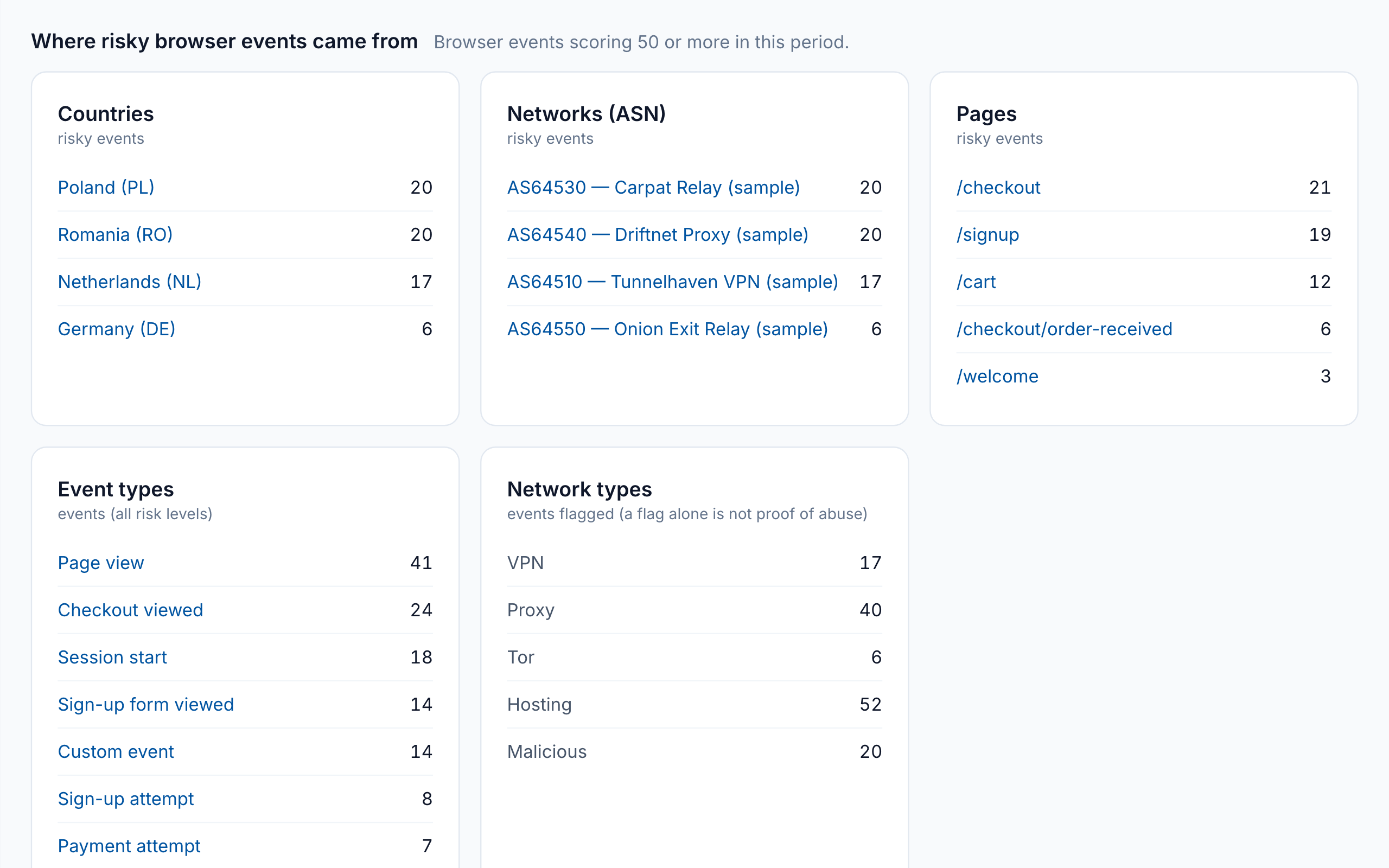
- A free dashboard at findip.net. Every visit and form submit with its risk score, country, network and reasons. Filter to the risky ones in a click.
- Form protection you switch on from the dashboard. Choose what happens when a risky visitor submits a signup, login or checkout form: a message, a short wait, or a Cloudflare Turnstile check. Off until you turn it on.
- WooCommerce context. Cart, checkout, payment-failure and order-completion events, so you can see which orders came through anonymizing networks.
- Two-minute setup. Install, click Connect, pick your site. No code, no key to copy, no theme edits.
- Privacy by design. The plugin never reads form values, passwords, emails or payment details. Choose strict, balanced or advanced privacy mode, with consent-aware loading.
- Free. Up to 10,000 recorded events per site per day.
Common uses
- Find out how many signups and orders come from VPNs, proxies and hosting networks.
- Spot fake account registrations and review them before they cost you.
- See how much of your traffic comes from datacenters, not people.
- Give your support or fraud review the network context behind an order.
Built to be trusted on your site
- Loads a pinned, immutable SDK build with subresource integrity, so the script cannot change underneath you.
- Makes no connection until an administrator saves a site key.
- Declares compatibility with High-Performance Order Storage and Cart/Checkout Blocks.
- Adds suggested disclosure text to the WordPress privacy-policy editor.
FindIP Shield provides risk signals, not proof of fraud. A visitor on a VPN is often a legitimate customer. Review the reasons, and use server verification for decisions that matter.
Learn more: https://www.findip.net/wordpress-vpn-proxy-detection
External services
This plugin connects to FindIP Shield, an external service operated by FindIP.
When configured, it downloads a pinned JavaScript SDK from https://cdn.findip.net and sends website events to https://shield.findip.net. The service receives the visitor IP address from the network connection and limited event metadata based on the selected privacy mode. It does not receive form values, passwords, payment details, or message contents.
The service is required for the plugin to provide risk intelligence. No connection is made until an administrator saves a valid public Shield site key.
When an administrator clicks Connect to FindIP Shield, their browser is sent to https://www.findip.net/shield/connect/wordpress with this site’s home address, the address of this site’s admin page to return to, a one-time code and the plugin version. FindIP sends the browser back with the site’s public key, which the plugin saves only if the one-time code matches. Nothing is sent unless the administrator clicks the button.
In balanced and advanced privacy modes the SDK keeps a visitor ID in a _fip_vid cookie and a localStorage entry of the same name, and may send a picture of a form’s layout with every value blanked, so the dashboard can show which form an event belongs to. The renderer for that picture is downloaded from https://cdn.findip.net only when a picture is requested. Neither happens in strict mode, which is the default.
This plugin can also load Cloudflare Turnstile, an external service operated by Cloudflare. It is loaded from https://challenges.cloudflare.com only when form protection is switched on for the site in the Shield dashboard and a visitor is asked to pass a check. Cloudflare then receives that visitor’s IP address and browser information.
- Cloudflare Turnstile terms: https://www.cloudflare.com/website-terms/
-
Cloudflare privacy policy: https://www.cloudflare.com/privacypolicy/
-
Service: https://www.findip.net/shield/overview
- Data collection: https://www.findip.net/docs/shield/data-collection
- Privacy modes: https://www.findip.net/docs/shield/privacy-modes
- Privacy policy: https://www.findip.net/Docs/privacy-policy
- Terms: https://www.findip.net/docs/shield/terms-free-preview
Consent integration
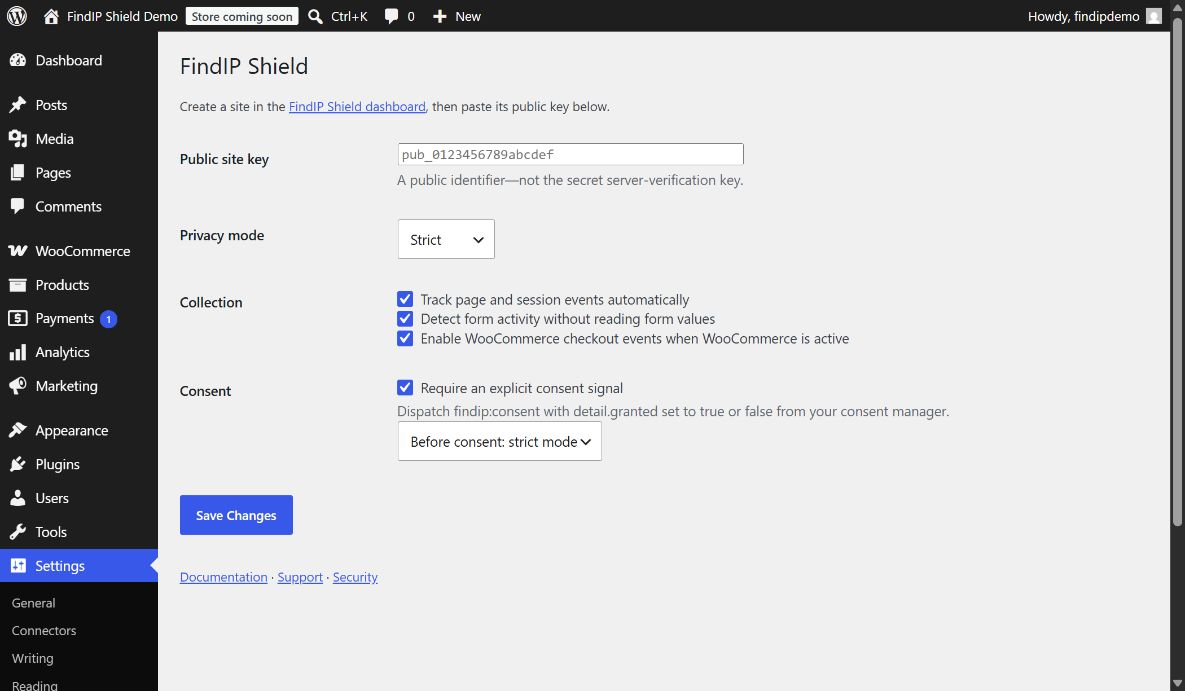
With Require an explicit consent signal enabled, the plugin starts in strict or disabled mode. A consent-management plugin or theme can update Shield by dispatching:
document.dispatchEvent(new CustomEvent('findip:consent', { detail: { granted: true } }));
Send granted: false when consent is withdrawn.
Screenshots
Installation
- Install and activate the plugin.
- Open Settings FindIP Shield in WordPress and click Connect to FindIP Shield.
- Sign in to FindIP (or create a free account), pick this site or create it, and you are sent back to WordPress with the site connected.
- Choose the privacy and consent settings, and save.
- Visit the public site, and confirm the first event in the Shield dashboard.
Prefer to do it by hand? Create a site in the FindIP Shield dashboard and paste its public site key under Settings FindIP Shield instead.
FAQ
-
Is it free?
-
Yes. FindIP Shield is free, with up to 10,000 recorded events per site per day. You need a free FindIP account to get a site key.
-
Does it detect VPNs and proxies?
-
Yes. Each visit is checked for VPN, proxy, Tor, relay, hosting and datacenter networks and known malicious IPs, and the dashboard shows which ones applied.
-
Does it work with WooCommerce?
-
Yes. With WooCommerce active the plugin adds cart, checkout, payment-failure and order-completion context. WooCommerce is not required; the plugin works on any WordPress site.
-
Will it slow my site down?
-
The script is loaded in the page footer, after your content, from a CDN, and sends small events in the background.
-
Does it collect form values or personal data?
-
No. It detects that a form was submitted, never what was typed. Passwords, emails, payment details and message contents are not read or sent. See the data collection page linked under External services.
-
Yes. Enable “Require an explicit consent signal” and the plugin stays in strict or disabled mode until your consent tool grants consent. See Consent integration.
-
Does it block visitors?
-
Not by default. The plugin reports signals and recommendations so you can decide. You can switch on form protection for signup, login and checkout forms in the Shield dashboard and choose what a risky visitor sees. A VPN or proxy alone is not proof of abuse.
-
Where do I see the results?
-
In your Shield dashboard at findip.net, under the site you created for this domain.
-
Where can I get help?
-
Email info@findip.net. Report security issues privately to security@findip.net.
Reviews
There are no reviews for this plugin.
Contributors & Developers
“FindIP Shield: VPN, Proxy & Bot Traffic Detection” is open source software. The following people have contributed to this plugin.
Contributors
Translate “FindIP Shield: VPN, Proxy & Bot Traffic Detection” into your language.
Interested in development?
Browse the code, check out the SVN repository, or subscribe to the development log by RSS.
Changelog
0.3.0
- Settings page: Connect to FindIP Shield links the site in one click (sign in, pick the site, back in WordPress). No key to copy. Pasting a key still works.
0.2.1
- Settings page: once a site key is saved, “Open your Shield dashboard” opens this site’s Home in Shield (visits, risky visitors, form responses).
0.2.0
- Pin FindIP Shield SDK 1.11.0. Form protection switched on in the Shield dashboard now works on WordPress and WooCommerce forms: a message, a short wait or a Cloudflare Turnstile check for risky visitors. It stays off until you turn it on.
- The dashboard can list the forms on your site and show which form each event belongs to.
- Visitors who block cookies are recognised across the pages of one visit.
- Document Cloudflare Turnstile and the storage the SDK uses under External services.
- New plugin name and description on WordPress.org.
0.1.3
- Normalize localized boolean settings so the automatic-tracking and form-detection toggles and the consent-required flag work; WordPress localizes booleans as strings, which previously made those toggles ineffective.
0.1.2
- Pin FindIP Shield SDK 1.0.8 so events report the WordPress integration instead of Google Tag Manager.
- Pass the wordpress integration identifier to the SDK during initialization.
0.1.1
- Pin FindIP Shield SDK 1.0.7 so automatic session-start events are emitted once per browser session across full page navigation.
- Confirm core plugin compatibility with WordPress 7.1 on a live domain-bound test site.
0.1.0
- Initial release.